

Introduction: Virtual WhiteBoards for Corporate Trainers
Virtual whiteboards for corporate trainers are an excellent engagement tool. Which one to use can be a tough decision to make, which comes with time sucking testing.
In this post, we’ll briefly explore some of the major differences between a couple of the most widely used virtual whiteboards for corporate trainers, Miro and Zoom.
Miro’s Virtual Whiteboard for Corporate Trainers
In my past, I used to work with a tech company based in Barcelona. While working there, I quickly realized that you could barely converse with anyone without a Miro board being pulled up. 🏢 It was used for business reviews, it was used for brainstorming, and it was used for design.
Ever since then I have been a virtual whiteboard addict and have used them for all of the above. It follows that they’ve also been implemented for training activities, both in the virtual and live classroom environments. 💡 Specifically, Miro is incredibly intuitive and easy to use for participants. You can also tell that they truly enjoy using Miro for activities, ice-breakers, and workshopping ideas. 💪 There are so many templates that you can use, or you can create your own. 🎨 Navigation is simple, two-finger dragging with a touchpad or right-click dragging with a mouse. 🖱️ You can easily invite others to collaborate by hitting the share button. Then, once participants are in the environment, there are a myriad of tools like stickies and shapes, as well as tools for drawing and text. ✏️🗒️
Zoom’s Virtual Whiteboard for Corporate Trainers
With all that in mind, the intent was to write a quick post about how inferior Zoom’s whiteboard function is in comparison. 🤔 The problem is, Zoom’s whiteboard features are fantastic! It had been a while since I used Zoom’s whiteboard feature because Miro has so consumed me. Since I last used it, Zoom has been quietly stepping up its game. Maybe they did it loudly, and I just wasn’t listening. 🙉
🔍 Zoom has all of the features I loved so much about Miro, and it’s already built into the Zoom application. An application that so many people are already using and familiar with. You can create the whiteboards in your Zoom dashboard prior to your meeting or event, or you can do it live on-the-fly from a template. All the same interactive tools are there for participants, and you might even argue it’s easier to share. 💬 At least when it comes to sharing a whiteboard with people who are already in your meeting, Zoom is definitely a bit easier. Any time you can avoid having participants log into multiple tools or have two tools pulled up that could be one, it makes things easier.
Earlier, I mentioned that I like using Miro for live instructor-led training. Well, Zoom is also great for this because all you need to do is pop your Zoom whiteboard up on the overhead projector and share the link with your live classroom, and everyone jumps in. 🖥️ This wasn’t always the case, but Zoom really has come a long way in the past few years with its functionality, template options, and integration.
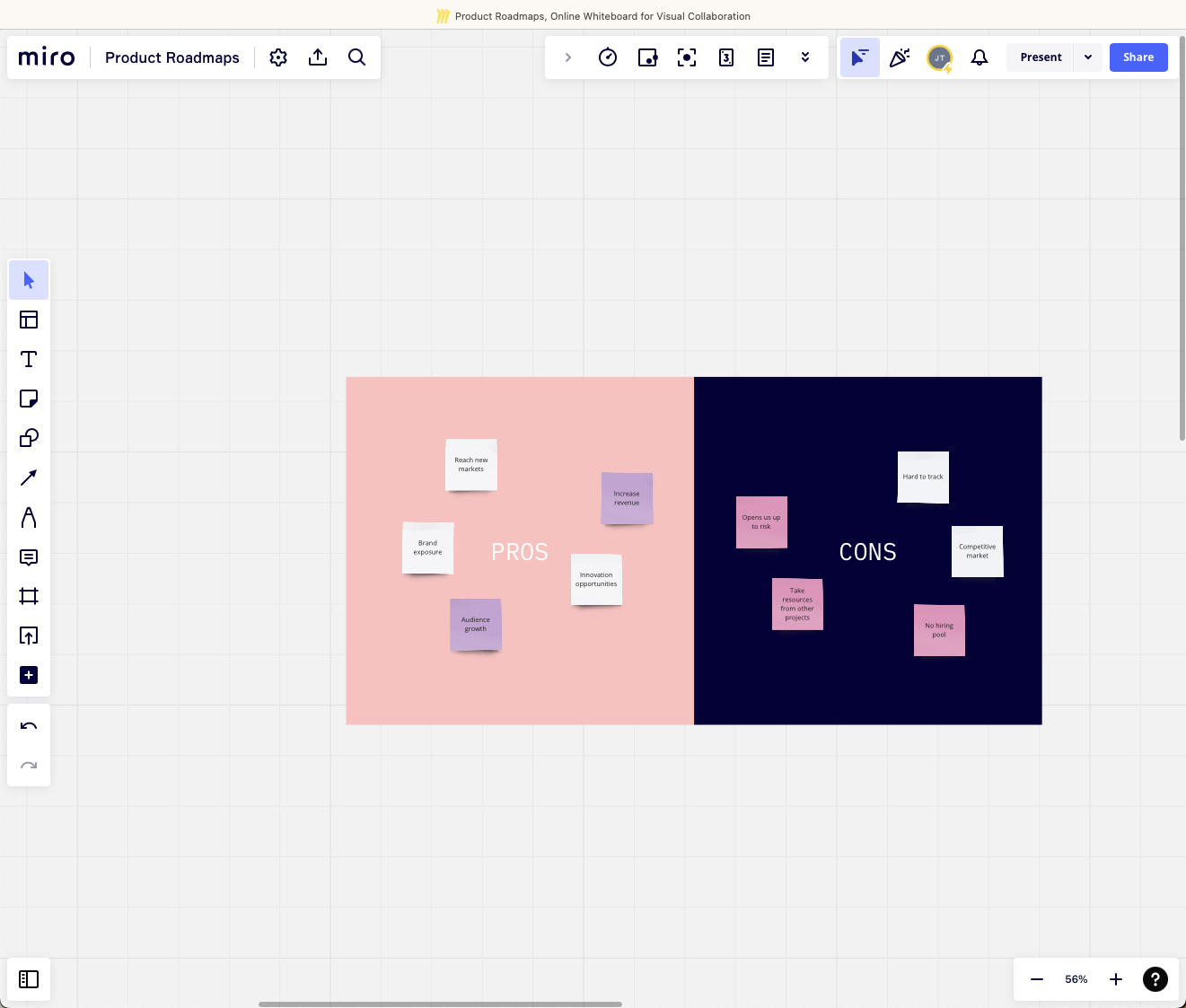
Miro
An example of the pros and cons template in Miro.
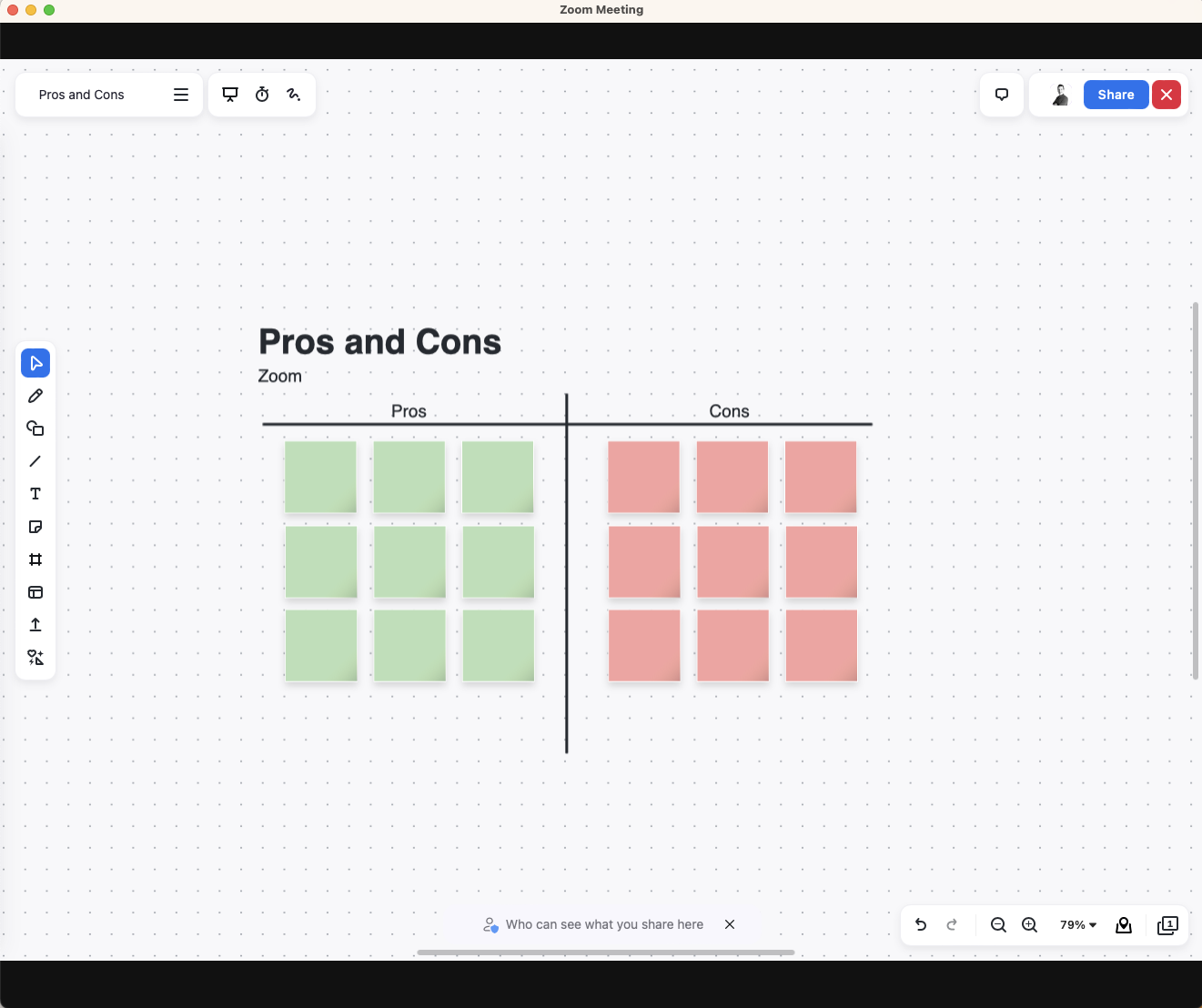
Zoom
An example of the pros and cons template in Zoom.
Conclusion: Virtual Whiteboards for Corporate Trainers
The big takeaway. If you’re already using Zoom, you probably don’t need Miro at all. If you are using a different application for video conferencing and training at your organization, you’ll have to weigh the benefits. For instance, Microsoft Teams’ whiteboard has all the basic features and a handful of templates, but nothing close to Miro or Zoom.
If you’re currently weighing the two options for your virtual or live instructor-led training, I hope this helps spark some ideas. Let me know if it does or if you have best practices to share on the topic.💡🔄
Until next time.
When you’re ready, here are some ways I can help:
Corporate Trainer Workshops
Need to upskill your team on a specific live or virtual training topic? I’ll work with you to identify the needs of your team and facilitate a hands-on, workshop. Where you need it. When you need it. How you need it.
Consultation and Coaching
Need advice on a training project, your development process, or leading a training team? How about landing your next facilitator job? I’ll consult with you and help you be successful.
Custom Instructor-Led Training Development
Transforming your learning objectives into engaging and effective instructor-led trainings. Virtual or live, from development to train-the-trainers, we have your training needs covered.